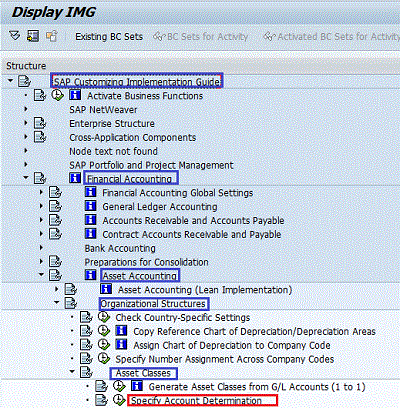
IMG Menu Path :- Implementation Guide for Customizing (IMG) -> Financial Accounting > Asset Accounting > Organizational Structures > Asset Classes -> specify Account Determination
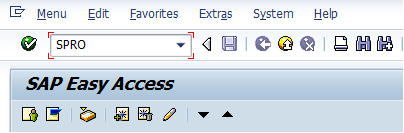
Step 1 :- Enter Transaction Code SPRO and enter
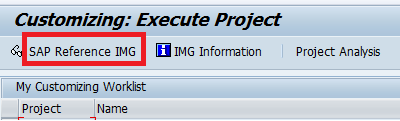
Step 2 :- Select SAP Reference IMG
Step 3 :- Follow the SPRO IMG path and select Account Determination
Step 4 :- Below Image show the FI-AA account determination screen, Click the new entries icon located at the upper left hand corner.
Step 5 :- Update the Account Determination rule and name of the account determination rule fields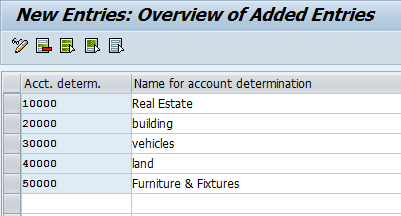
Click on save icon to save the data.

Rating: 5 / 5 (1 votes)


