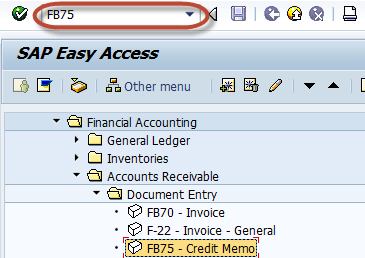
Enter the transaction code FB75 in the Command Field
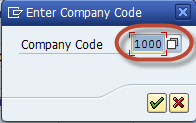
In the next screen, Enter the Company Code for document to be posted
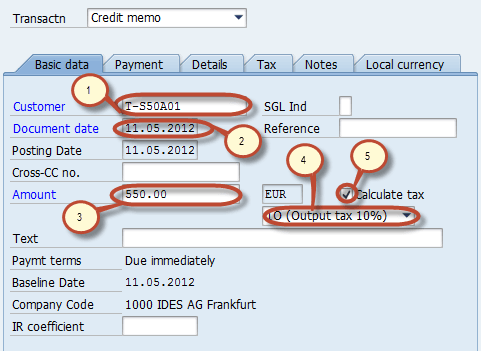
In the Basic Data tab , Enter the Following data
1. Enter the Customer ID of the customer to be issued the credit memo
2. Enter the Document Date
3. Enter the Amount to be credited
4. Enter the tax code used in the original invoice
5. Check the Calculate Tax check box
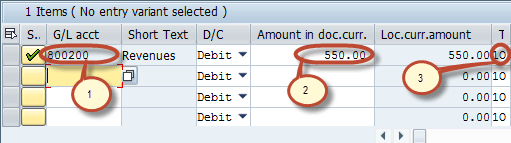
In the Item details section, Enter the following data
1. Enter the Sales Revenue Account for the Original Invoice was posted
2. Enter the Amount to be debited
3. check the Tax code
Check the status of the document

Press Post button from the Standard Toolbar

Check the status bar for the document number to be generated

Rating: 5 / 5 (1 votes)


