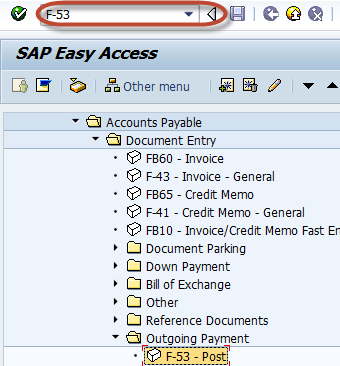
Enter Transaction Code F-53 in the Command Field
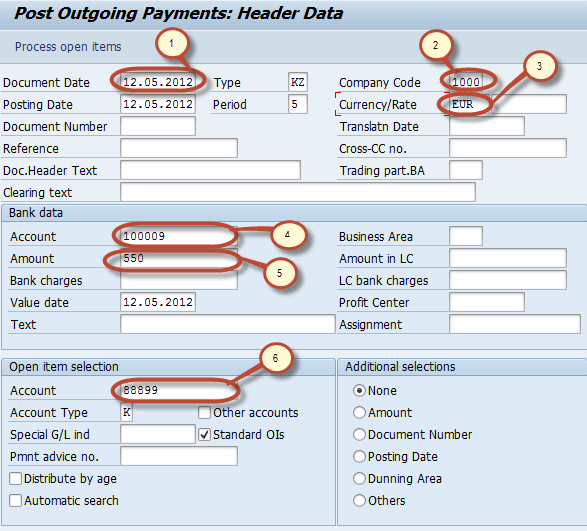
In the next screen, Enter the following data
1. Enter the Document Date
2. Enter the Company Code
3. Enter the Payment Currency
4. Enter the Cash/Bank Account in which Payment is to be credited
5. Enter the Payment Amount
6. Enter the Vendor Id of the vendor receiving the Payment
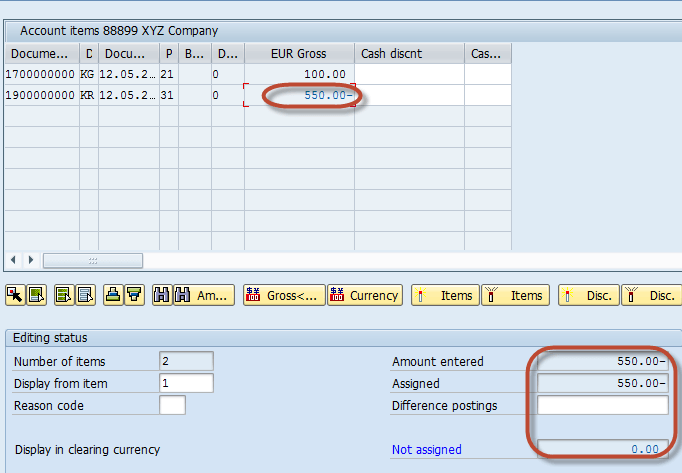
Press the Process Open Items Button to display the list of Pending Invoice

Assign the Payment Amount to Appropriate Invoice so as to balance the Payment with the Invoice Amount
Press Post from the Standard Toolbar to post the Outgoing Payment

Check for the Status bar for the Document number to be generated

Rating: 5 / 5 (1 votes)


