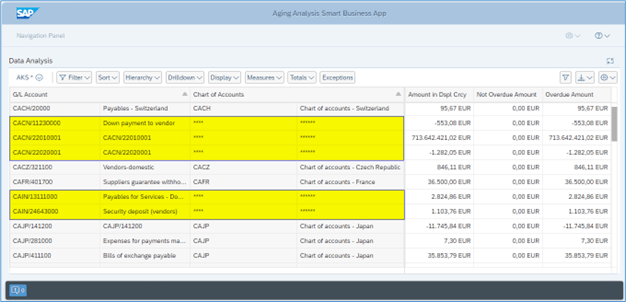
Attribute Based Access Control (ABAC) – Field Masking scenario in Analytical Queries using Query Monitor (RSRT TCode) in WD Grid Query Display mode

SAP Analytics Cloud, SAP S/4HANA Embedded Analytics, SAP S/4HANA

Introduction In this blog, we will learn how to mask Chart of Account field information based on G/L Account field information of Aging Analysis Smart Business app Analytical Query. Analytical Queries are used for reporting and analysis. Chart of Account field information of Aging Analysis Smart Business app Analytical Query need to be masked where […]
Continue reading


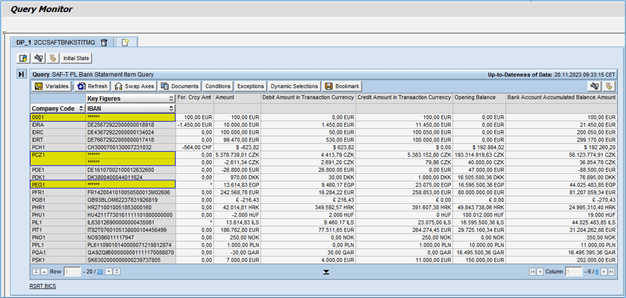
Attribute Based Access Control (ABAC) – Field Masking scenario in Analytical Queries using Query Monitor (RSRT TCode) in ABAP BICS Query Display mode

SAP Analytics Cloud, SAP S/4HANA Embedded Analytics, SAP S/4HANA, Data Security

Introduction In this blog, we will learn how to mask IBAN field information based on Company Code field information of SAF-T PL Bank Statement Item Analytical Query. Analytical Queries are used for reporting and analysis. IBAN field information of SAF-T PL Bank Statement Item Analytical Query need to be masked where “Company Code” is “0001”, […]

Continue reading


Attribute Based Access Control (ABAC) – Field Masking scenario in Analytical Queries using Query Monitor (RSRT TCode) in WD Grid (Embedded) Query Display mode

SAP Analytics Cloud, SAP S/4HANA Embedded Analytics, Data Security

Introduction In this blog, we will learn how to mask Supplier field information based on Company Code field information of Cash Discount Forecast Analytical Query. Analytical Queries are used for reporting and analysis. Supplier field information of Cash Discount Forecast Analytical Query need to be masked where “Company Code” is “KR01”, “RU04”, and “TP02”. For […]

Continue reading


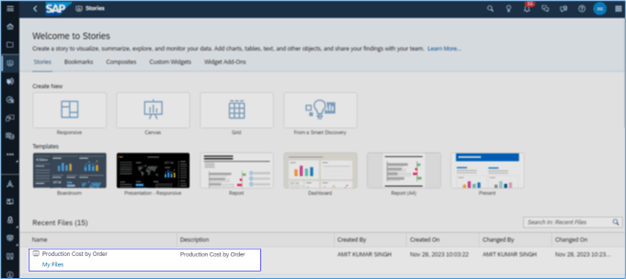
Attribute Based Access Control (ABAC) – Field Masking scenario in Analytical Queries using SAP Analytics Cloud

SAP Analytics Cloud, SAP S/4HANA Embedded Analytics, UI data protection masking for SAP S/4HANA

Introduction In this blog, we will learn how to mask Controlling Area field information based on Order Number field information of Production Cost by Order (C_PRODUCTCOSTBYORDERQUERY) Analytical Query displayed in SAP Analytics Cloud Story. Analytical Queries are used for reporting and analysis. Attribute based authorizations are dynamic determination mechanism which determines whether a user is […]

Continue reading


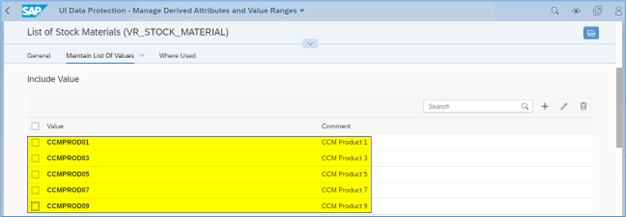
Attribute Based Access Control (ABAC) – Field Masking scenario in Analytical Queries using Query Browser app

Governance Risk Compliance (GRC) and Cybersecurity, SAP Analytics Cloud, SAP S/4HANA Embedded Analytics, UI Data Security

Introduction In this blog, we will learn how to mask Stock Quantity field information based on Stock Material field information of C_STOCKQUANTITYCURRENTVALUE (Current Stock Quantity and Value) Analytical Query. Analytical Queries are used for reporting and analysis. Stock Quantity field information of C_STOCKQUANTITYCURRENTVALUE (Current Stock Quantity and Value) Analytical Query need to be masked where […]
Continue reading


Procuring Company Code in Transportation Management

SAP S/4HANA, SAP Transportation Management

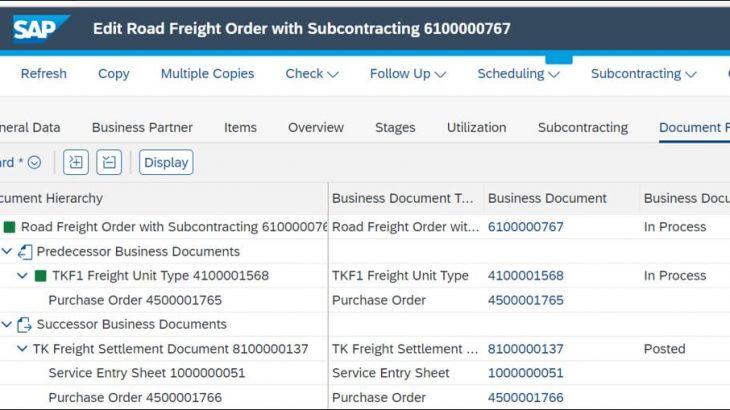
Introduction and Improvement Business Case New Feature with S/4HANA 2020 Original Company Code in Freight Unit (FU) Procuring Company Code in TM Procuring Company Code determination during Settlement Posting Settlement Posting would follow the below access sequence regards to Procuring Company Code determination 1) Procuring Company Code available at Freight Settlement Document Header (New) 2) […]

Continue reading


Changepointer for SD Customer Master Data

SAP S/4HANA, SD Sales

Introduction We utilize ChangePointer in SAP to mirror changes in main data (customers, vendors, materials) visible to other clients listed in the customer distribution model through ALE/IDOCs. ChangePointer is based on a change document technique monitoring alterations in essential documents such as materials, customers, vendors, and sales orders. Modifications in a document are logged in […]

Continue reading


Using Build Apps to Create a List Report with Charts, Tables and Pagination

SAP BTP, Cloud Integration, SAP CPI

Step1: Create the Iflow with the desired name and connect the Sender and the integration process with the HTTP Adapter. Step2: Add the Content Modifier with two properties LogStartDate, LogEndDate as shown in below image. Name Source Type  Source Value Data Type LogEndDate Expression ${date:now:yyyy-MM-dd’T’HH:mm:ss.SSS} java.lang.String LogStartDate  Xpath  /Root/StartDate   java.lang.String  Step3: Now add one […]

Continue reading