Assignment of Chart of Depreciation to Company Code is the important step that we linking the Asset Accounting module to the Finance accounting Company Code.
Note : – Before assigning chart of depreciation to company, Assign Input tax indicator for non-taxable transactions – T Code OBCL
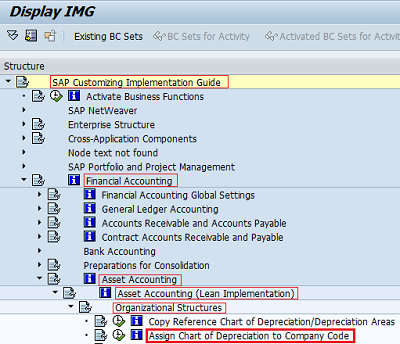
IMG Menu Path :- SPRO > IMG > Financial accounting > Asset Accounting > Organizational structures > Assign chart of depreciation to company code
Transaction Code :- OAOB
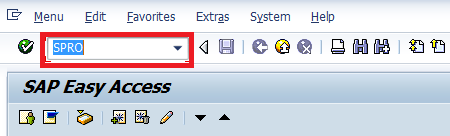
Step 1 :- Enter T Code SPRO in the SAP Command field and press enter
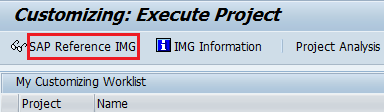
Step 2 :- Select SAP Reference IMG
Step 3 :- Follow the IMG menu Path and select Assign Chart of Depreciation to Company codes
Step 4 :- Select Position and update company code
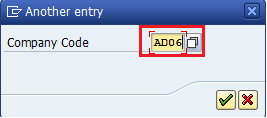
For company code AD06 update Chart of Depreciation ADAR
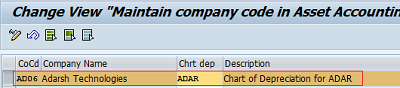
Step 5 :- click on save .

Successfully we assigned chart of Depreciation to Company Code.


